Quickstart
Run the data pipeline, which locally saves artifacts needed to solve the TAP across modes.
dagster job execute -m ireiat.data_pipeline -j all --config some_config.yaml
Solve a traffic assignment problem for a particular mode (highway, rail, or marine).
ireiat solve -m rail
Example output looks like:
from |
to |
ftt |
cost |
flow |
capacity |
alpha |
beta |
|---|---|---|---|---|---|---|---|
0 |
53728 |
0.0 |
0.0 |
0.0 |
100000.0 |
0.1 |
2.0 |
1 |
53734 |
0.0 |
0.0 |
0.0 |
100000.0 |
0.1 |
2.0 |
2 |
5 |
0.2 |
0.5 |
308.2 |
100.0 |
0.1 |
2.0 |
3 |
2 |
0.3 |
0.5 |
308.2 |
100.0 |
0.1 |
2.0 |
4 |
3 |
0.1 |
0.1 |
308.2 |
100.0 |
0.1 |
2.0 |
Create postprocessing artifacts once the solution files exist.
ireiat postprocess -m rail
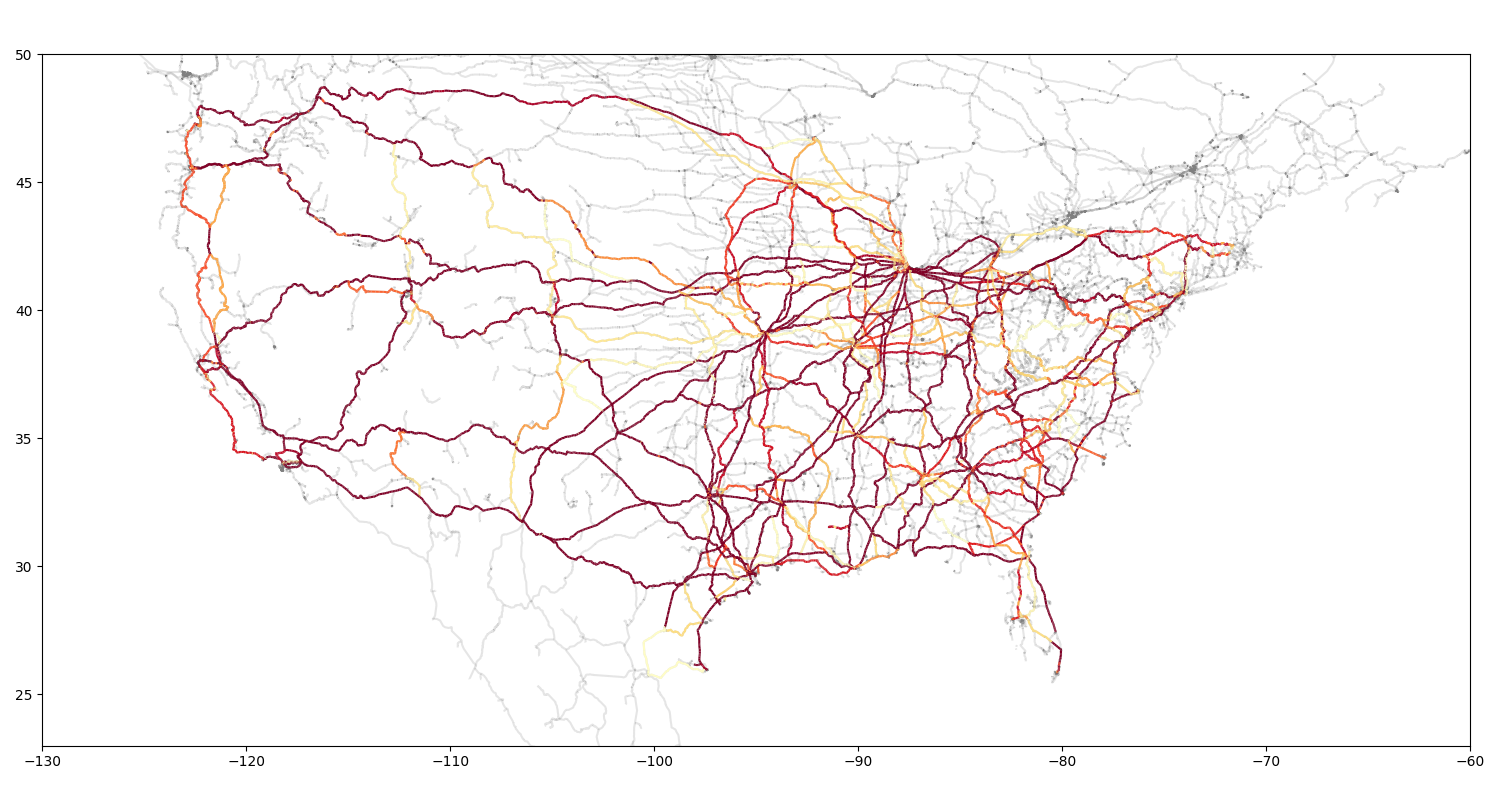
Postprocessing takes the traffic data with the relevant network and plots utilization across the network, which can highlight areas of congestion.
You can alter demand or network parameters in the configuration file to understand sensitivities (e.g. capacity reduction, capacity expansion, congestion impacts, free flow times, etc.).